Model Context Protocol (MCP)
API 之外,目前最 widely adopted 协议用于 LLM 与世界的互动
Develop
- python-sdk
- MCP-Bridge acts as a bridge between the OpenAI API and MCP (MCP) tools, allowing developers to leverage MCP tools through the OpenAI API interface
Resources
- glama
- Smithery MCP registry, 可以通过它安装
- pulse MCP. 内容丰富的 MCP directory
- servers 除了维护目录之外,也有一些常用社区维护的 MCP server 代码,比如
sequential thinking - cursor directory. 用于 cursor 的
- mcp.so generic mcp servers
- awesome MCP servers
- skeet.build 第三方 registry, 专注对接项目管理工具,不知道数据隐私的风险在哪儿,我暂时不用
常用 MCP server 配置
所有 MCP server 都必须确保自己的 nodejs 环境是可靠管理的,最好用 lts, 如果遇到实在无法解决的诡异问题,再降级到 20.x,重新运行
1. browser tools
务必按照安装文档按顺序执行,如果有使用问题,参看 github issues. 更多的操作说明
- 在任意基于 chromium 的浏览器安装插件
- new terminal window 启动 server
npx @agentdeskai/browser-tools-server@latest - 在 MCP client 中配置 mcp, command 是
npx @agentdeskai/browser-tools-mcp@latest - 回到浏览器,devtools 中切换到
BrowserToolsMCP查看是否正确连接,以及 Console 无错误。如果有问题,重启浏览器。
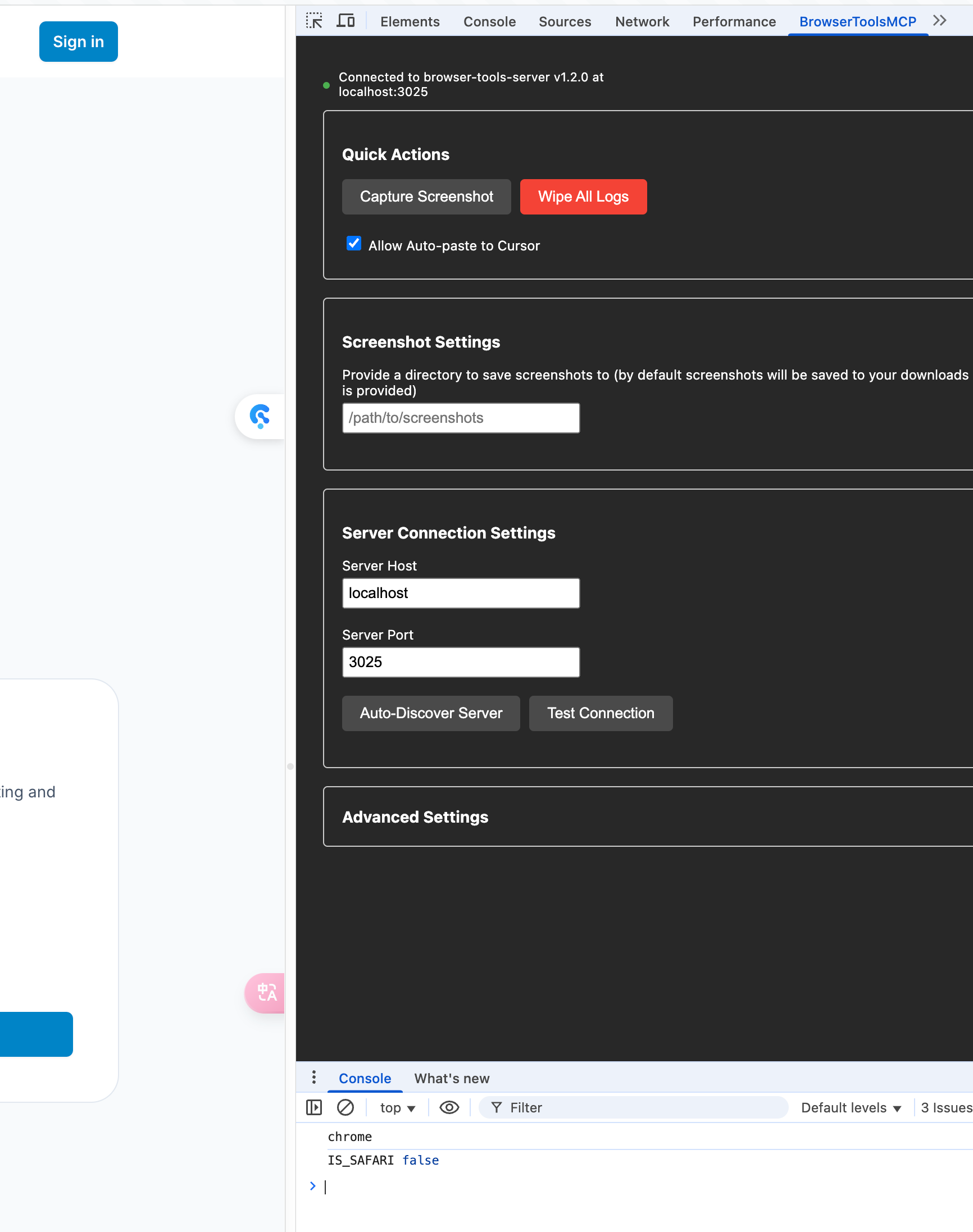
2. supabase MCP
GitHub repo 详细说明 by Supabase 另外还有一个社区的 supabase MCP server, 能进行更复杂的查询
{ "mcpServers": { "supabase": { "command": "npx", "args": [ "-y", "@supabase/mcp-server-supabase@latest", "--access-token", "<personal-access-token>" ] } }}3. sequential thinking
honestly 我还没体会到这玩意的先进性,啥时候遇到复杂功能开发的时候试试。所有人都说 cursor/windsurf 这些 AIDE 必备,那必须得听。 安装 直接用 npx 就行了